CHARACTER CREATOR v1.0.0
Free desktop app · Windows · macOS · Linux

Sculpt a 3D character.
Then shoot it in 4K.

Pick a hairstyle, dial in the face and body, dress them from a full wardrobe, and spin the result on a studio turntable. Every click updates the model live, and you can save presets or render a PNG up to 3840 × 2160.

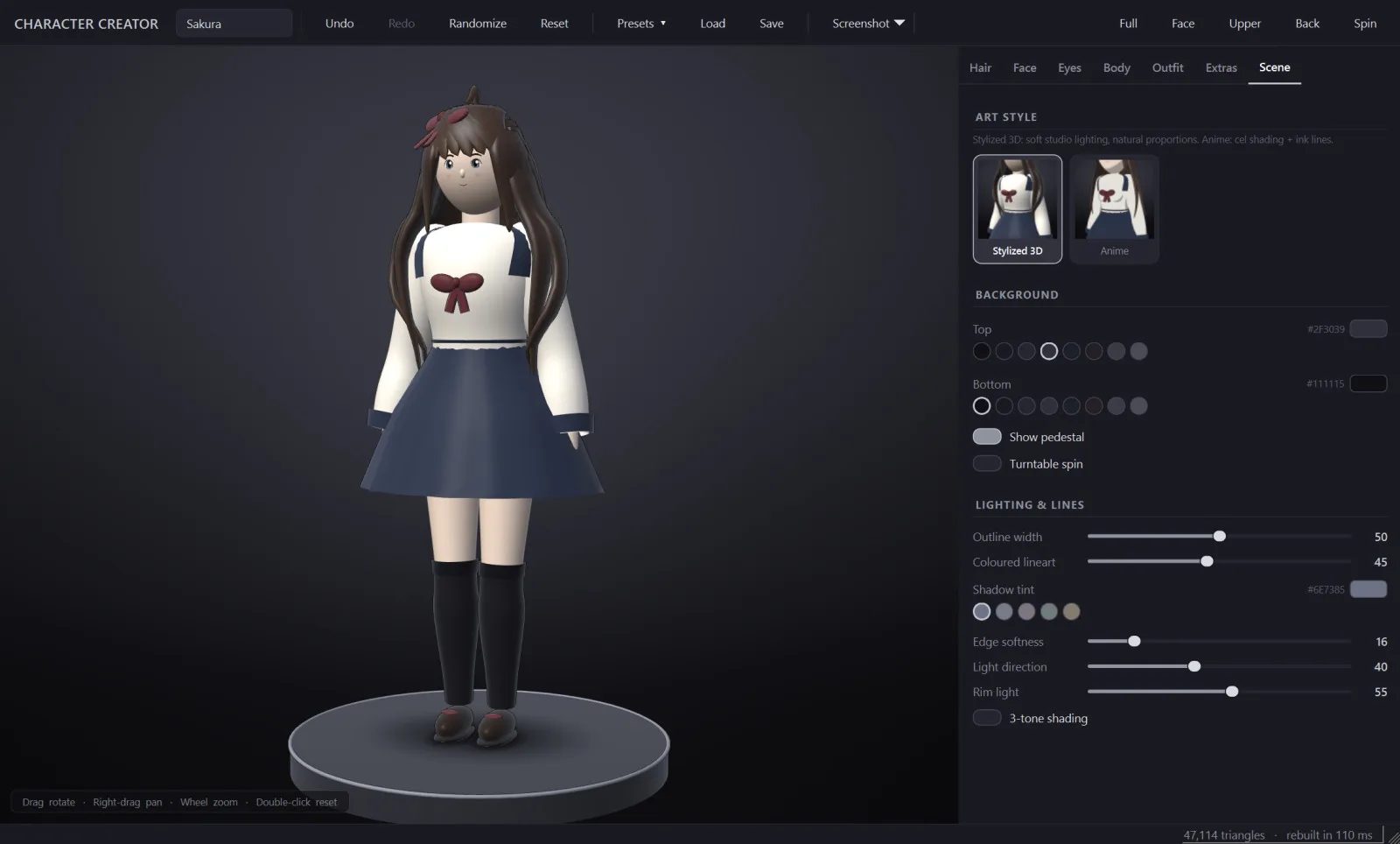
The Character Creator window: a 3D character in a school uniform on a slate pedestal, with the Scene tab open showing art style, background and lighting controls.
Download · version 1.0.0

Pick your system

Each package holds the app and a one-click launcher. The first launch installs the 3D libraries into the app's own folder (about 90 MB, roughly a minute), and every launch after that opens straight away.

Windows

CharacterCreator-1.0.0-windows.zipWindows 10 or 11 · 75 KB
  1. Install Python 3.10 or newer and tick “Add python.exe to PATH”.
  2. Unzip, then double-click Start Character Creator.bat.
  3. If SmartScreen appears, choose More info → Run anyway.
Download for Windows

sha256 90c57df2aa72d5e523029288648e3aaebebc832b6b475fbb3d895a345f1f0251
macOS

CharacterCreator-1.0.0-macos.zipApple silicon and Intel · 75 KB
  1. Install Python 3.10 or newer from python.org.
  2. Unzip, then double-click Start Character Creator.command.
  3. If macOS blocks it, right-click the file → Open → Open.
Download for macOS

sha256 7ee935583184b1c1eaa4acc5553fb0c547b4d63c2a961bb2d5c030f288b8ce47

Linux

CharacterCreator-1.0.0-linux.zipx86-64 and ARM64 · 75 KB
  1. Install Python and Qt's system libraries, e.g. sudo apt install python3-venv libgl1 libegl1 libxkbcommon-x11-0 libxcb-cursor0
  2. Unzip, then run ./start-character-creator.sh.
Download for Linux

sha256 09f6bb8636554e13963a7f1fa7e136ba6873c5f59755c612f1281042aa195a4d
Needs
A graphics card with OpenGL 3.3, which covers practically any computer from 2012 on. You also need Python 3.10 or newer.
Installs
Only into the app's own folder. Nothing system-wide, no background services.
Network
The app never goes online. The Python package downloads its libraries once on first launch.
Two renderers, one character

Soft 3D or crisp anime, switched with one click

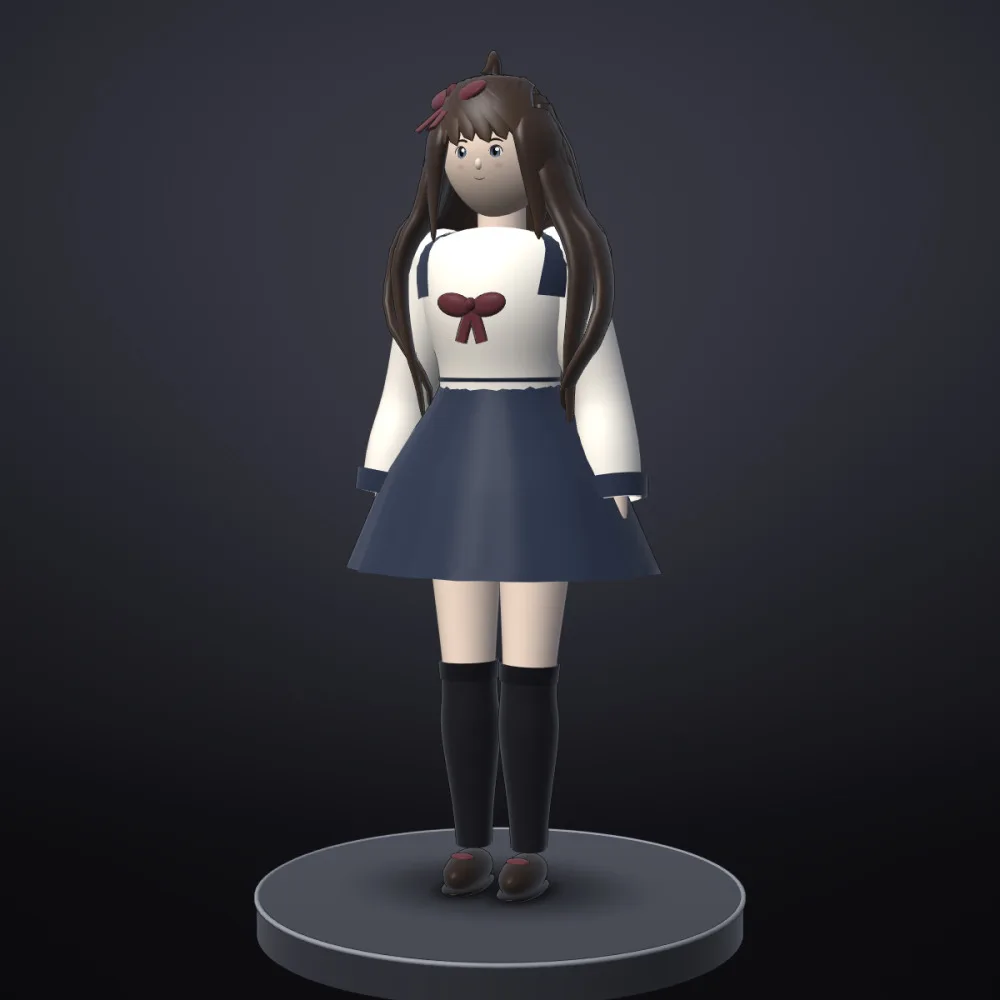
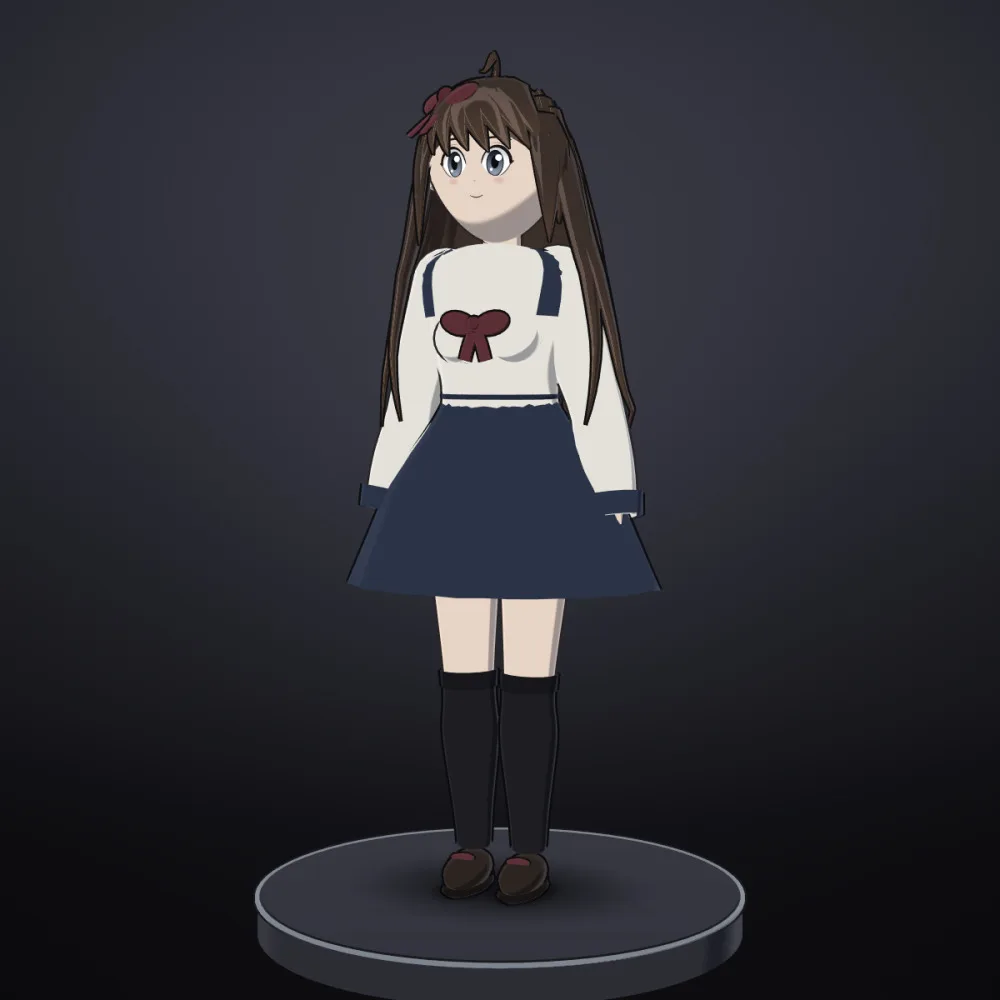
The same preset in both art styles. Stylized 3D lights the model like a photo studio. Anime swaps in cel shading, ink outlines and big painted eyes.

Sakura preset in the Stylized 3D style: smooth soft lighting, natural proportions and small eyes.

Stylized 3D

Studio key and fill lights, soft rim, sculpted nose, natural proportions. The default.
The same Sakura preset in the Anime style: flat cel shading, dark outlines and large eyes.

Anime

Two- or three-tone cel shading, inverted-hull line art, large decal eyes.
Spec sheet

What you can change

PartOptionsCount
HairShort, bob, long, wavy, hime cut, ponytail, twin tails, buns, spiky. Root-to-tip colour fade, length, volume.9 × 6 bangs
EyesRound, wide, sharp, droopy, cat, sleepy. Iris colour, two-colour eyes, size, spacing, tilt.6 shapes
FaceMouths, brows, noses, ears, face width, jaw, chin, blush.6 · 5 · 3 · 2
BodyHeight, head size, legs, arms, build, shoulders, bust, waist, hips.9 sliders
WardrobeTops, bottoms, legwear and shoes, each with its own colours.7 · 5 · 5 · 5
ExtrasRibbon, cat ears, glasses, headphones, halo, horns, clips, scarf, choker, tail. Combine freely.10
SceneBackdrop, pedestal, turntable, light direction, rim light, outline width.2 styles
ExportPNG at viewport ×2, 1080p, 1440p, 4K, square or portrait, with optional transparent background.3840 × 2160
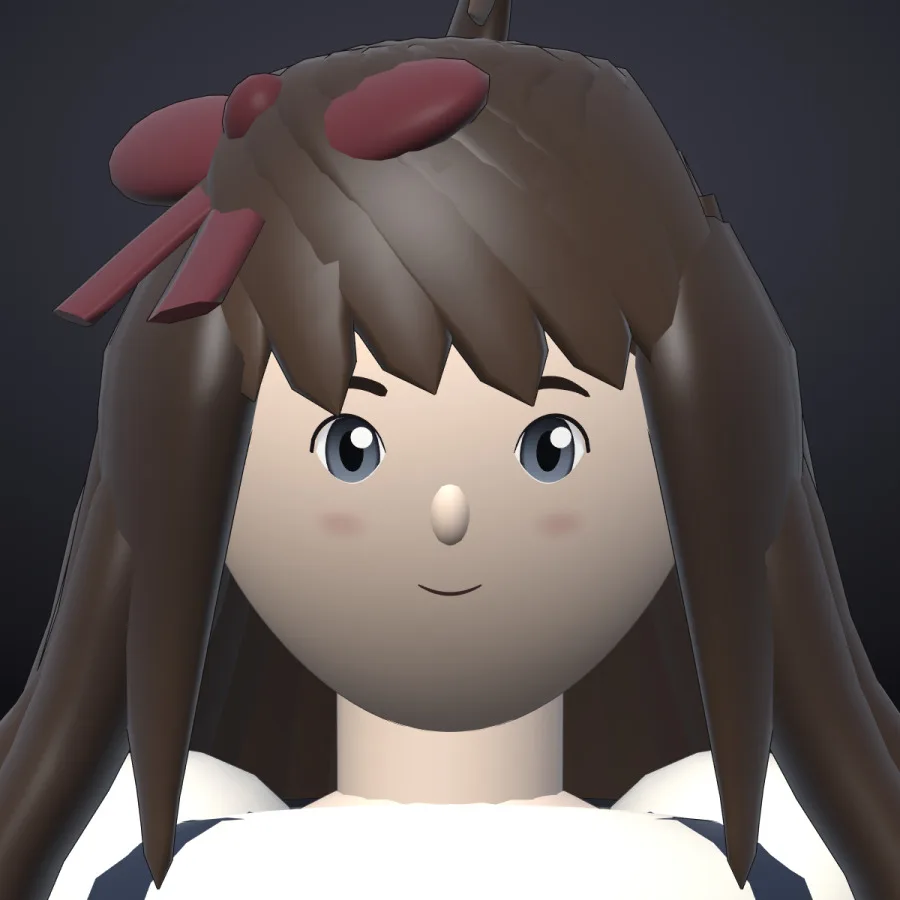
Close-up of a character's face in the Stylized 3D style.

Every option card in the app shows a live 3D preview of your character wearing that option, re-rendered as you edit.

Built-in presets

Six characters to start from

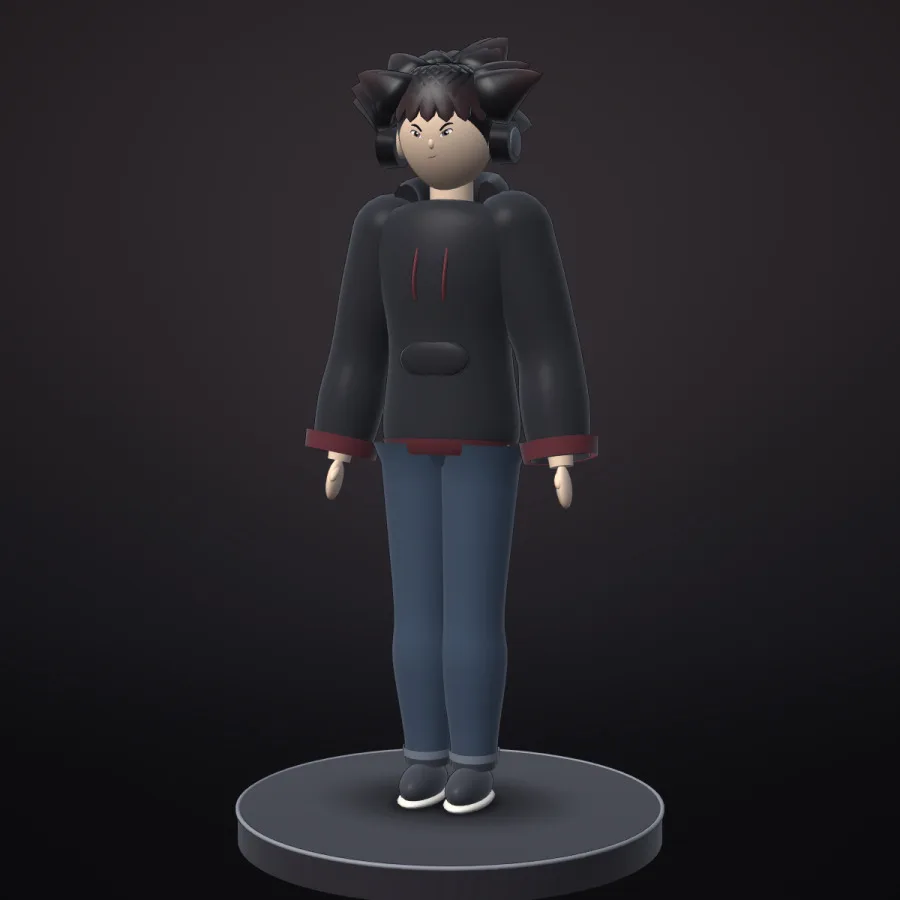
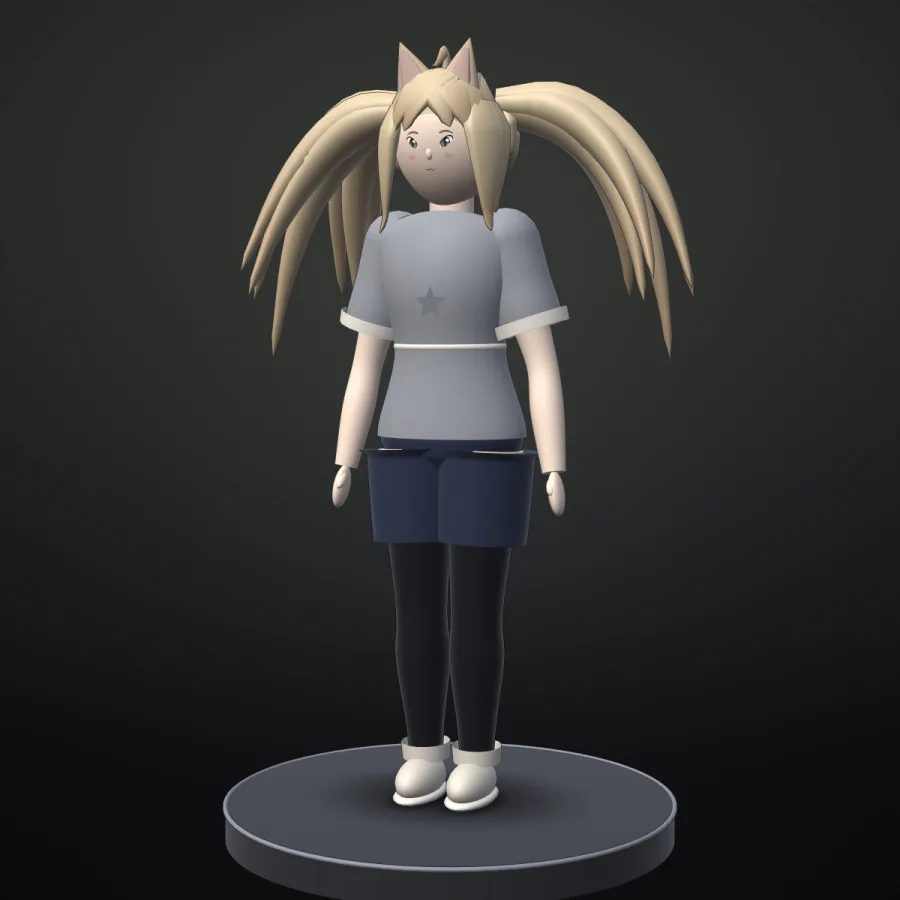
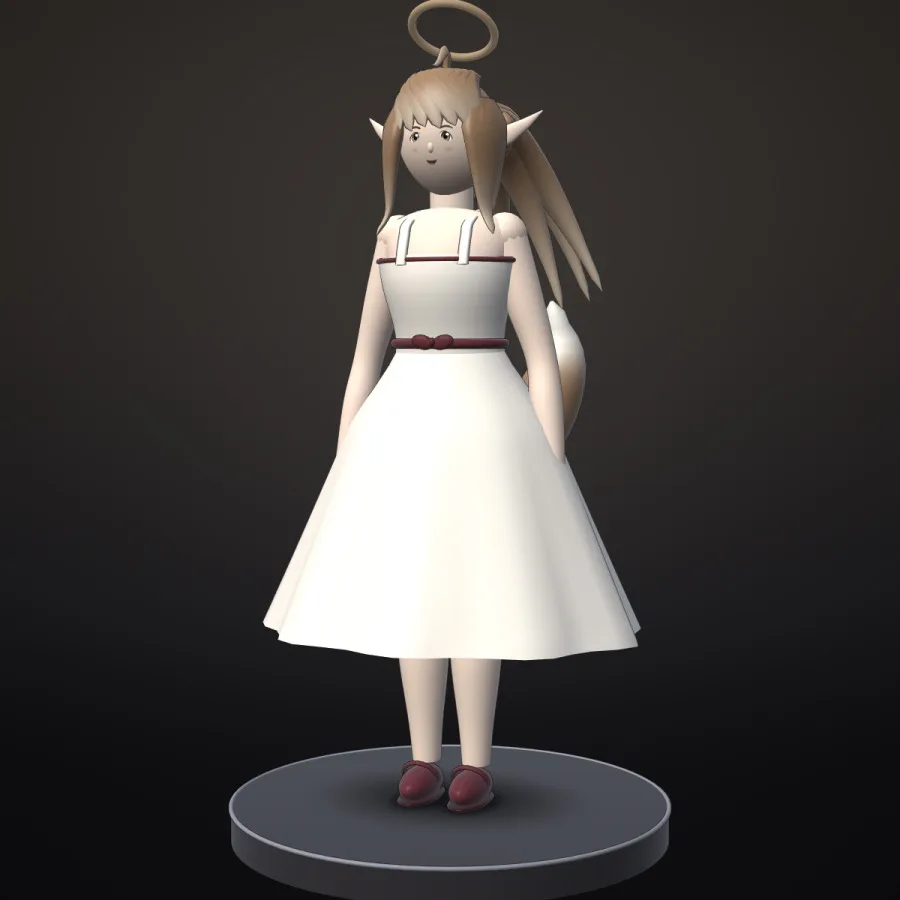
Load one, then change anything. Randomize rolls a new character from the muted palette, and Undo brings the last one back.

Ren: spiky dark hair, hoodie, jeans and headphones.
Renhoodie · jeans · headphones
Mika: blonde twin tails, cat ears, t-shirt and shorts.
Mikatwin tails · cat ears
Kitsune: ponytail, elf ears, halo, sundress and fox tail.
Kitsunesundress · halo · tail
Questions

Before you install

Why do I need Python?

The download is the app plus a one-click launcher, which keeps it at 75 KB and identical on all three systems. On first launch the launcher installs the 3D libraries into the app's own folder (about 90 MB, roughly a minute). Every launch after that opens straight away. Uninstalling is deleting the folder.

Windows or macOS warns that the file is unrecognized

The app isn't code-signed yet. On Windows choose More info → Run anyway. On macOS right-click the app or launcher and choose Open. You can check any file against the SHA-256 checksum shown under each download.

Does it collect any data?

The app doesn't: no account, no analytics, no network access while it runs. Presets are plain JSON files and screenshots are PNGs on your own disk. What this website collects is described in the privacy policy.

Is it safe to open presets other people share?

Yes. Presets are size-limited, must be .json, and every value is checked against the allowed options before it is used. Anything unknown falls back to a default, so a broken or hostile file can't crash the app or inject markup.

The window opens but the 3D view is black

The app needs OpenGL 3.3. Update your graphics driver. On Linux virtual machines, enable 3D acceleration or install Mesa.

Your first character is a minute away.

Get the appfree · v1.0.0